Govern AI spend, tools and access.
Budgets that hold, every AI tool approved, and how ready you are for the rules you answer to.
Governance should make adoption faster.
Teams know which tools they may use, their limit and who to ask. Finance and compliance get proof without approving every request.
The ladder: each step adds control, and you climb only as far as you need
- 01availableObserveRecord the breach. Nothing changes for runs.
- 02availableWarnNotify the owner. Runs continue.
- 03availableRequire approvalOver the limit, the owner decides. Your gateway does the holding.
- 04availableEnforceYour gateway stops runs past the limit. Valistry writes it into LiteLLM today.
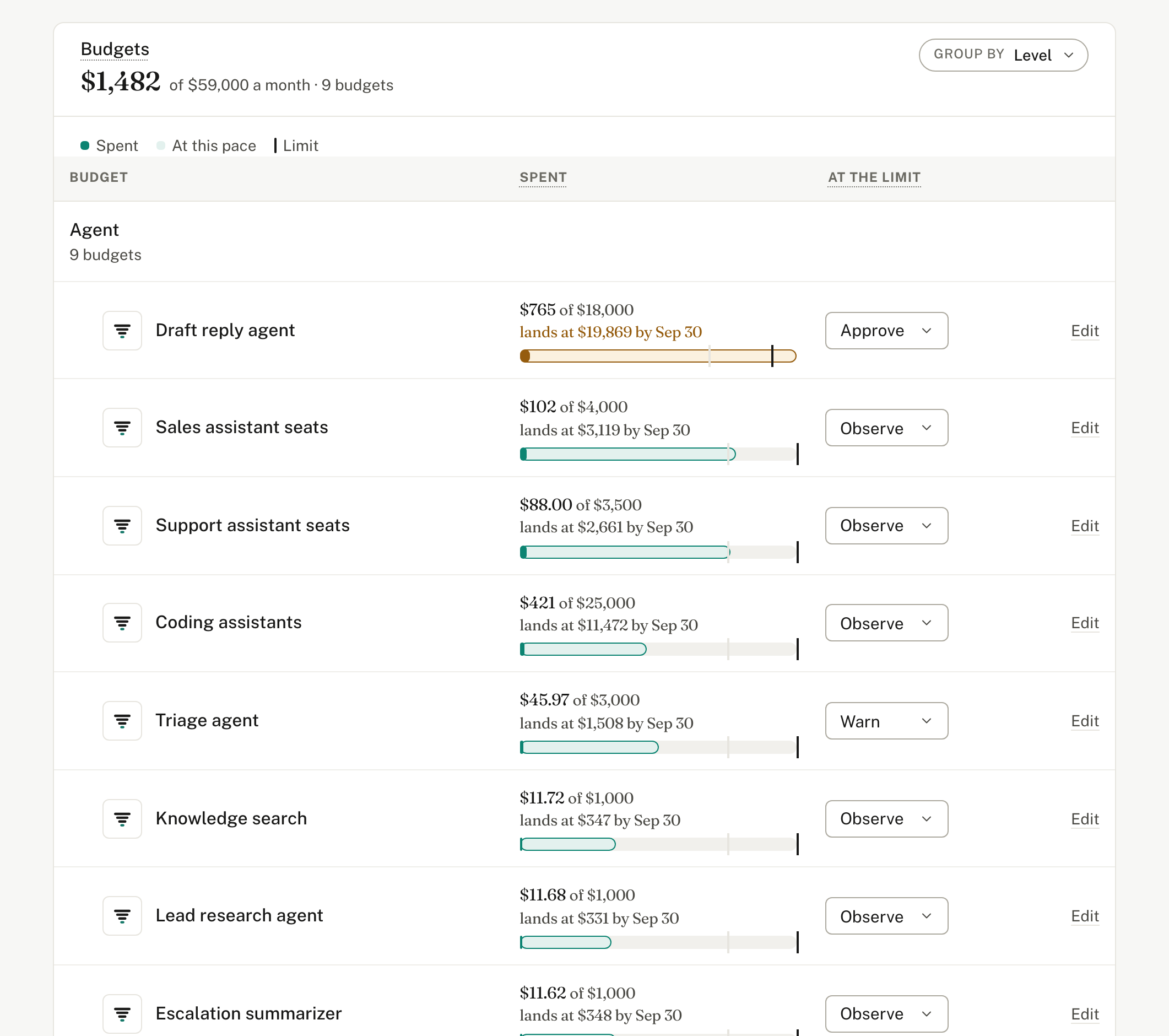
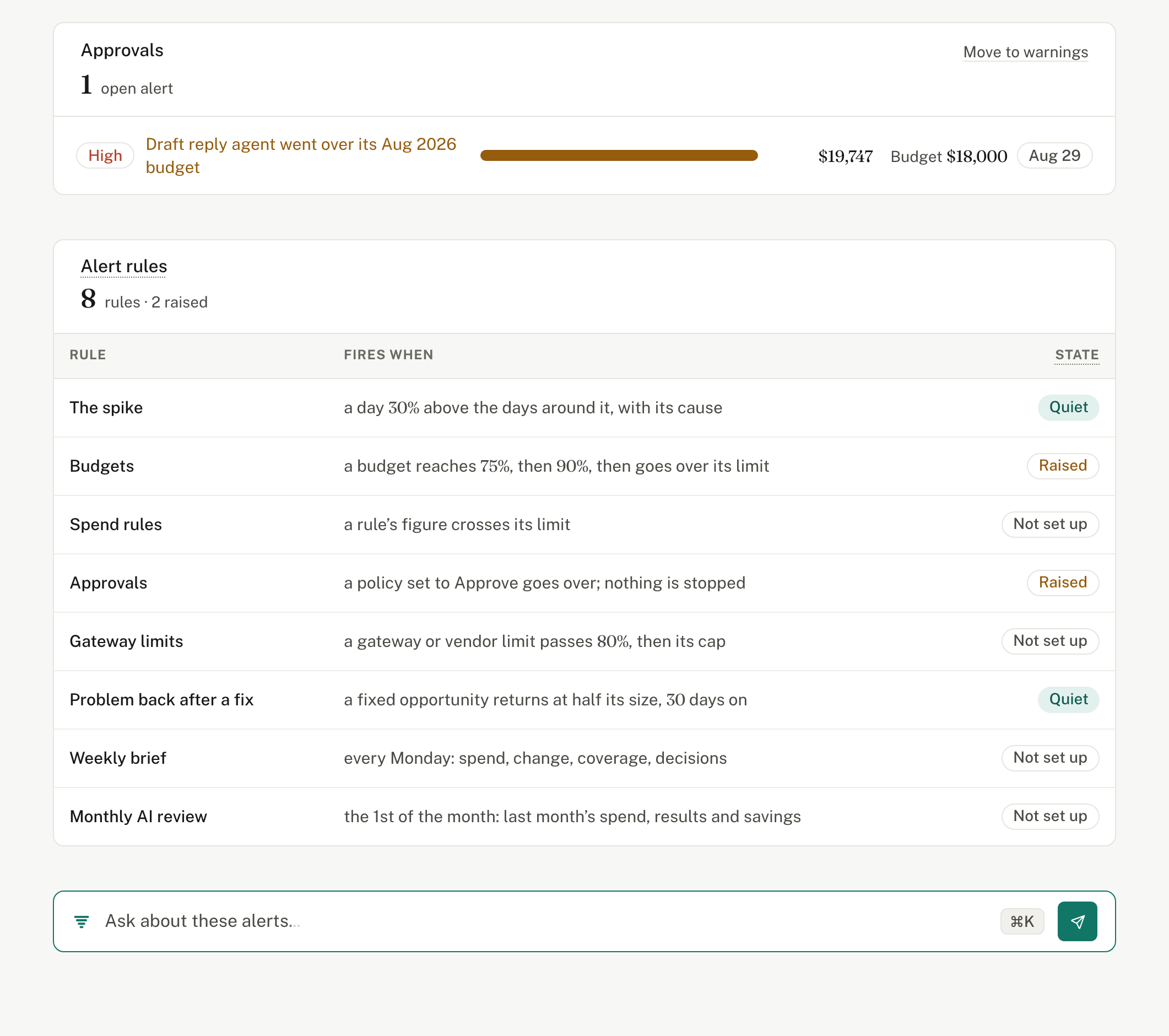
Monthly budgets
69%
of spend under a budget with an owner
- Draft reply agent110% of $18k
- Triage agent50% of $3k
- Knowledge search35% of $1k
- Escalation summarizer35% of $1k
Defaults come from your own spending history. One breach, caught before it was real.
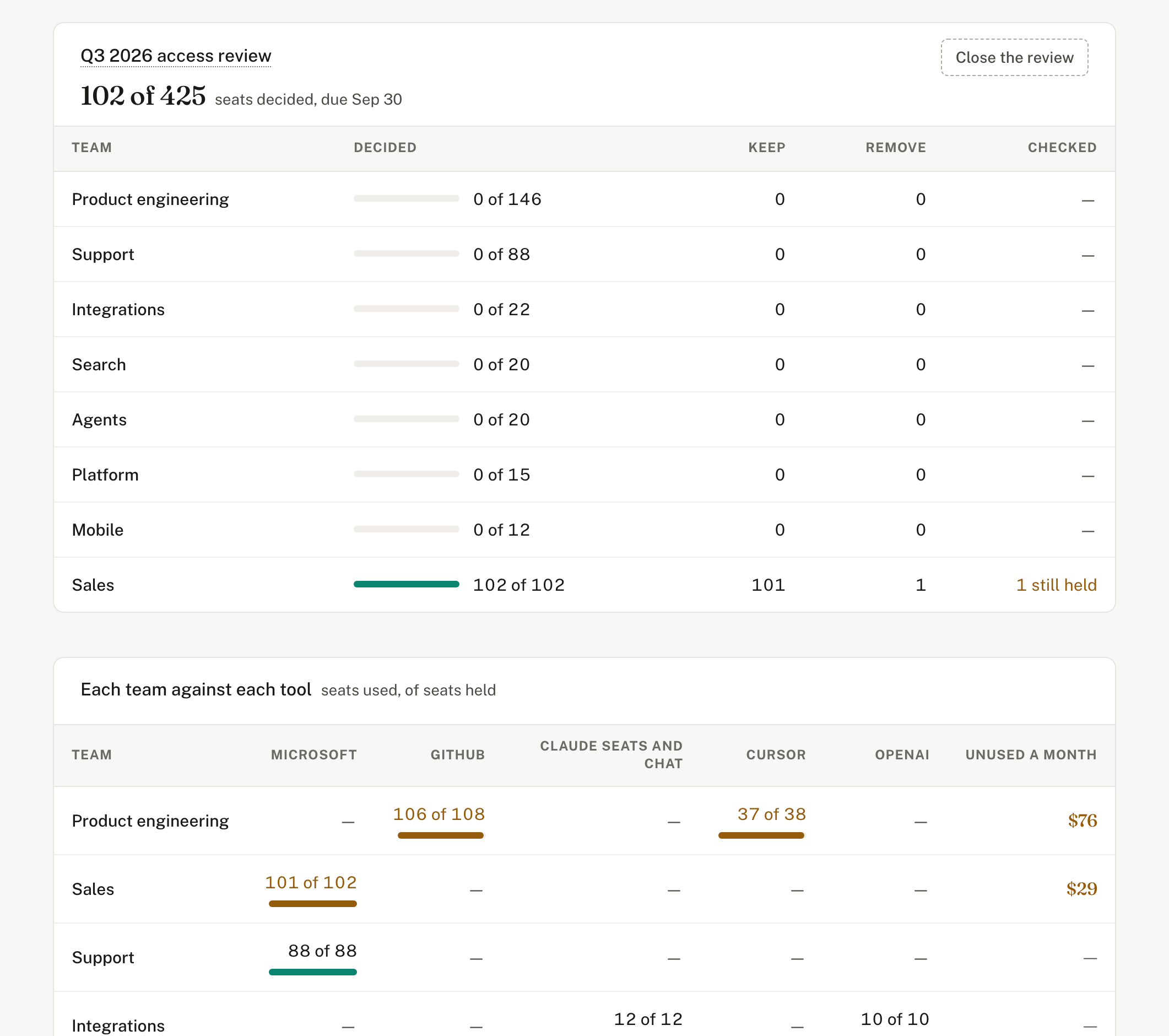
An owner for every tool and agent
And a budget set from its own history.
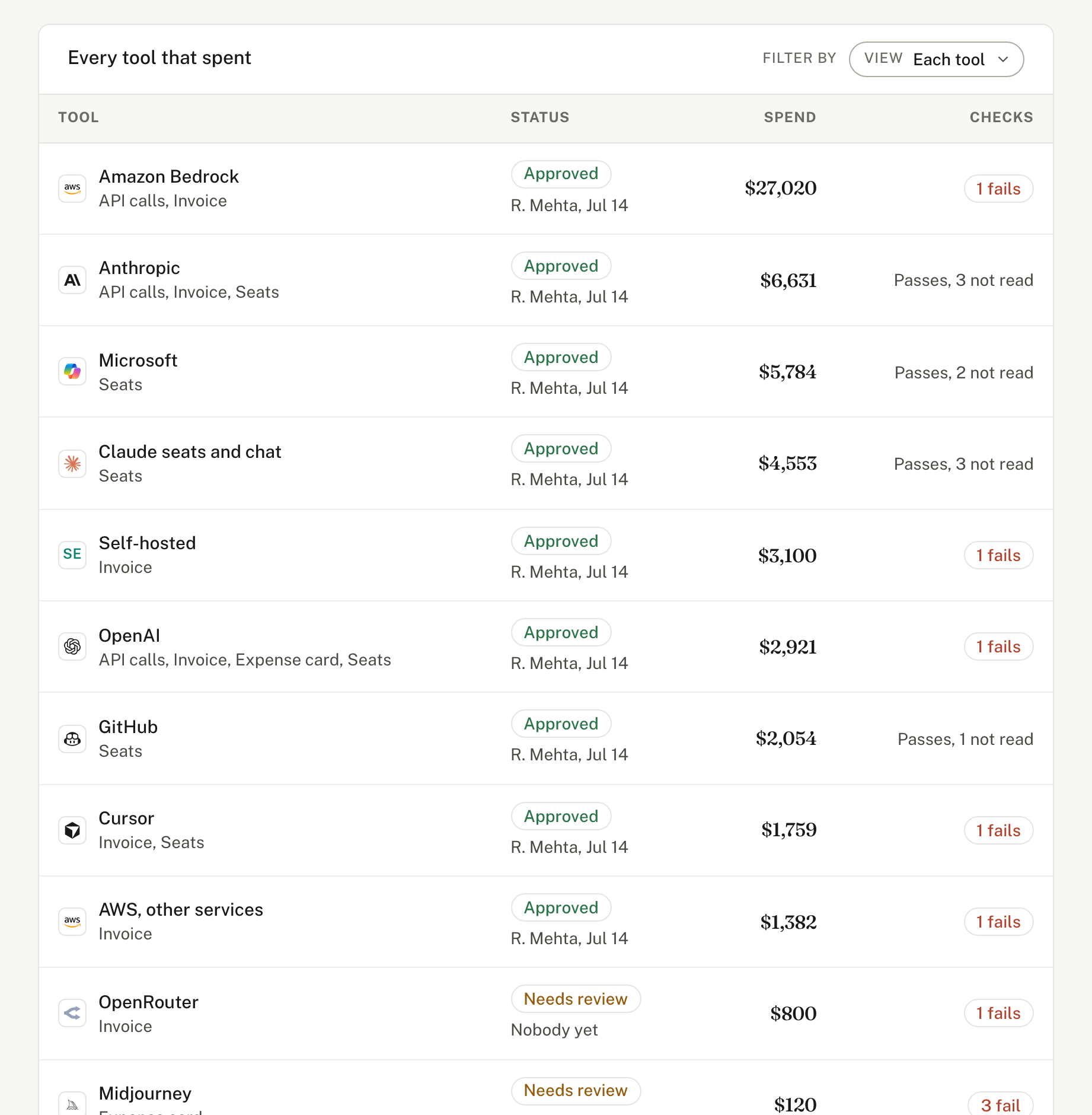
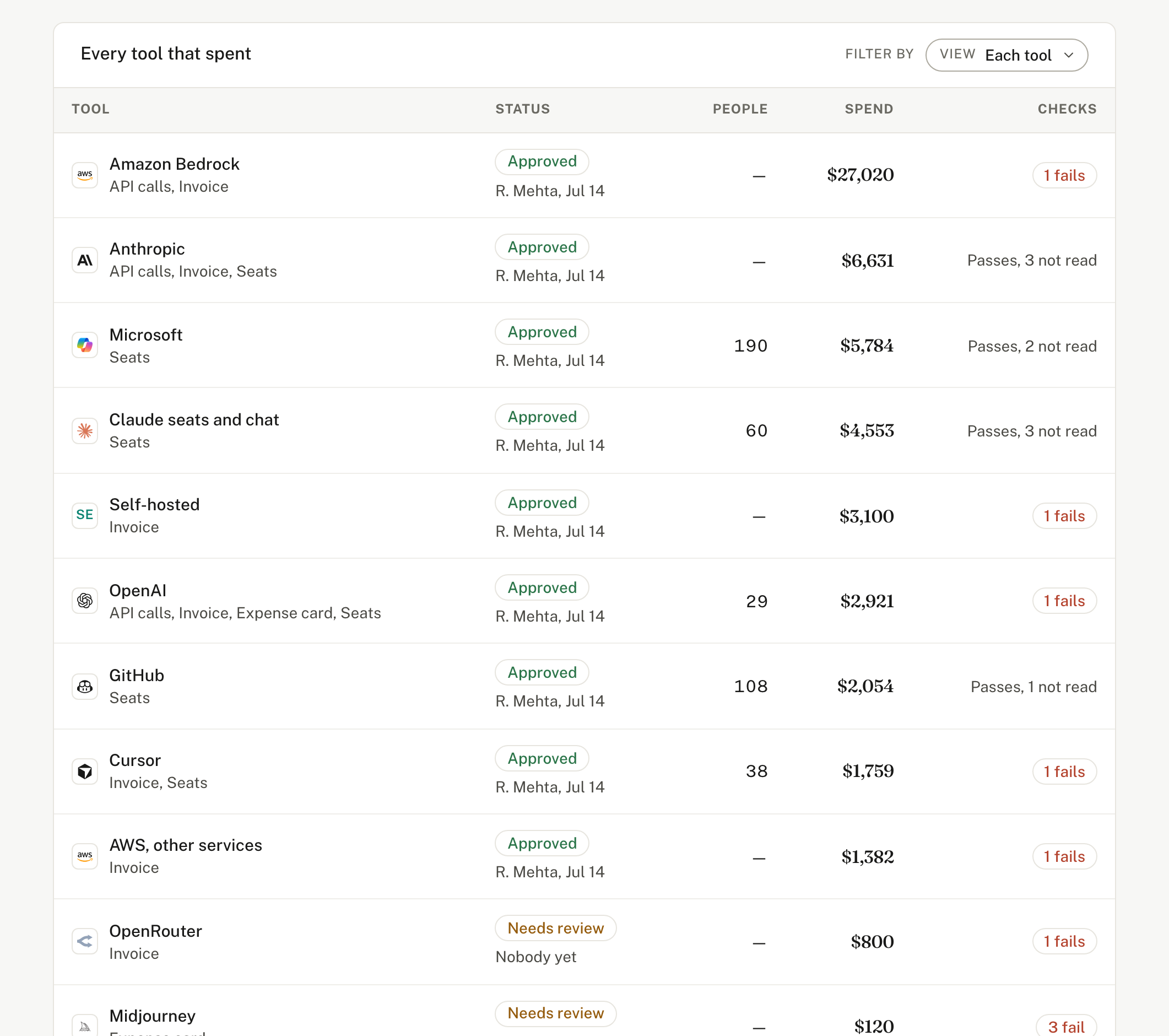
Approved tools, decided once
Who decided and when, on the record.
Alerts that reach the owner
In Slack, Teams or mail, open until someone decides.
Governance without reading your prompts.
Valistry reads your directory, seat lists and three settings. Never a prompt or a reply.
What governance reads
- The AI apps in your directory: Entra, Okta or Google Workspace, counted, never a sign-in
- Seat lists from each AI vendor
- Three vendor settings, as on or off: OpenAI data retention, Bedrock call logging, how each app signs in
- Your AI policy and assessments, as links to where they live
What it never reads
- Prompts or replies
- Documents or files
- Source code
- Anything a vendor does not expose: Valistry says “not read yet”
What stays with your security tools
- Testing a model for bias, accuracy or attacks
- Filtering what a model says
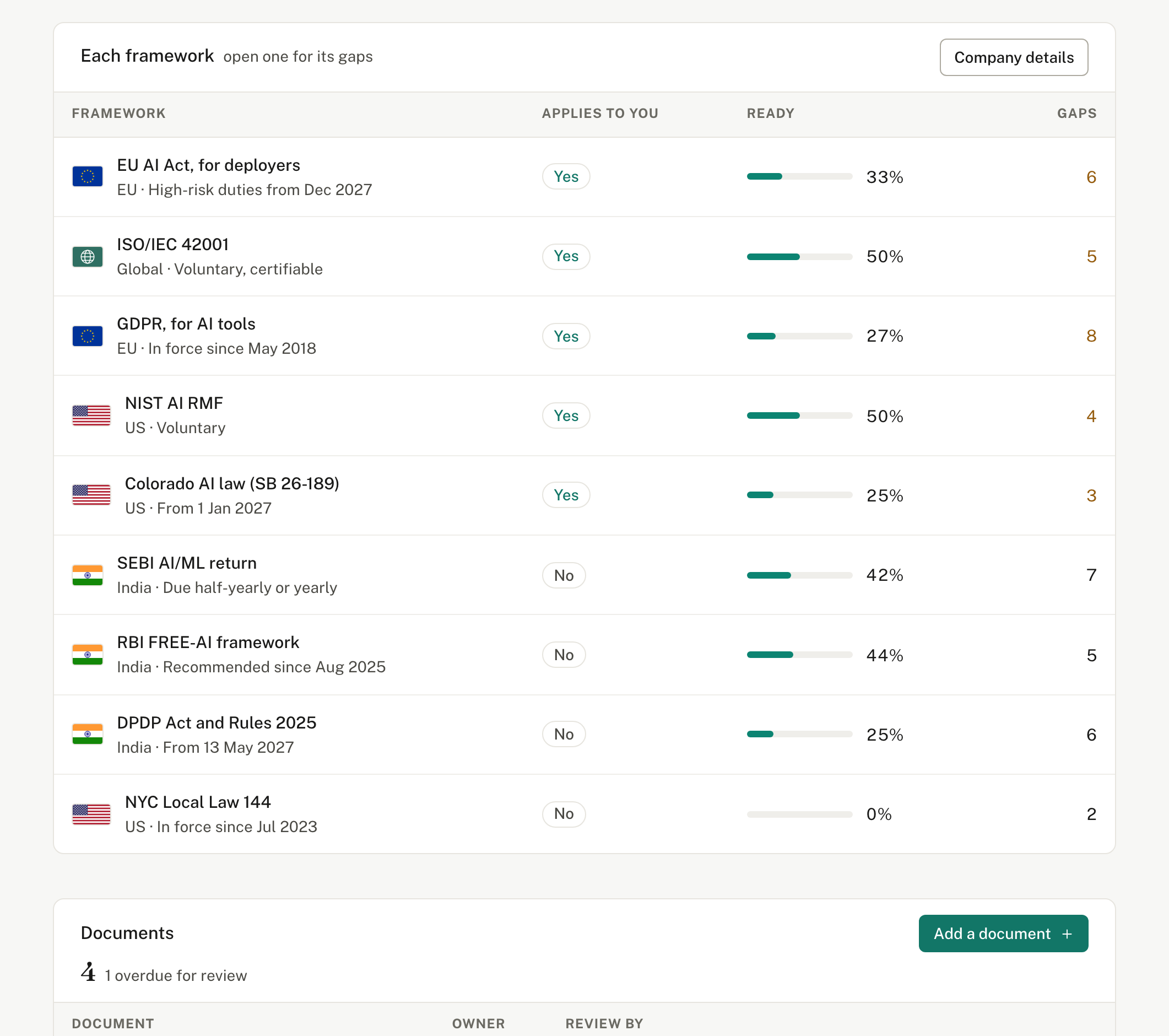
- Making you compliant: Valistry shows how ready you are
Prepared as files
- SEBI AI/ML return
- RBI FREE-AI inventory
- GDPR records of processing
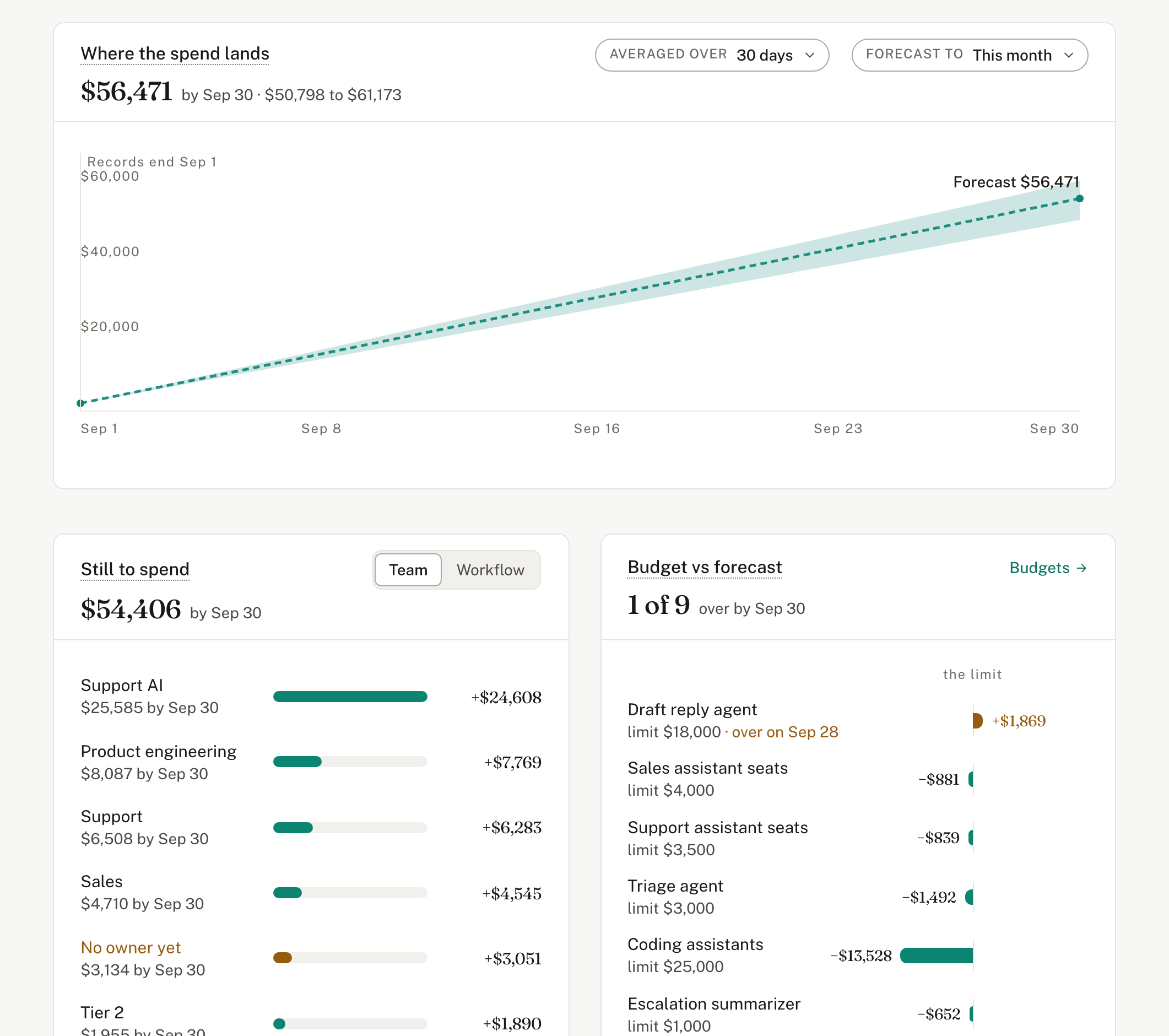
Budgets, compliance and alerts.
Keep AI value safe as adoption grows.
Connect one source and set your first rule, watching only.
With the loop closed, any question about the estate has one grounded answer.
Next: Ask Valistry →